
ADA Website Compliance: What Site Owners Need to Know
Learn about upcoming ADA website compliance deadlines for schools, public agencies, and site owners. Plus, download our checklist to ensure your site is accessible.


Web accessibility has long been a legal gray area for many organizations. The Department of Justice (DOJ) addressed this in April 2024 when it published a final rule under Title II of the Americans with Disabilities Act (ADA). The ruling provides specific requirements to ensure that web content and mobile applications are compliant, outlining deadlines for when changes need to be made.
Starting April 24, 2026, state and local government entities are required to meet new federal digital accessibility standards. This applies to schools, universities, and public agencies. If your organization hasn’t yet taken steps toward compliance, it’s time to review and update your website.
With the first deadline quickly approaching, we’ll share everything you need to know about the new Web Content Accessibility Guidelines (WCAG) requirements, the legal risks associated with non-compliance, and a checklist for making sure your website is accessible and compliant.
What Is ADA Website Compliance?
ADA website compliance is the process of meeting rules set by the ADA to ensure your organization’s digital properties, including websites, mobile apps, web-based software, and online documents, are usable and accessible to people with various disabilities.
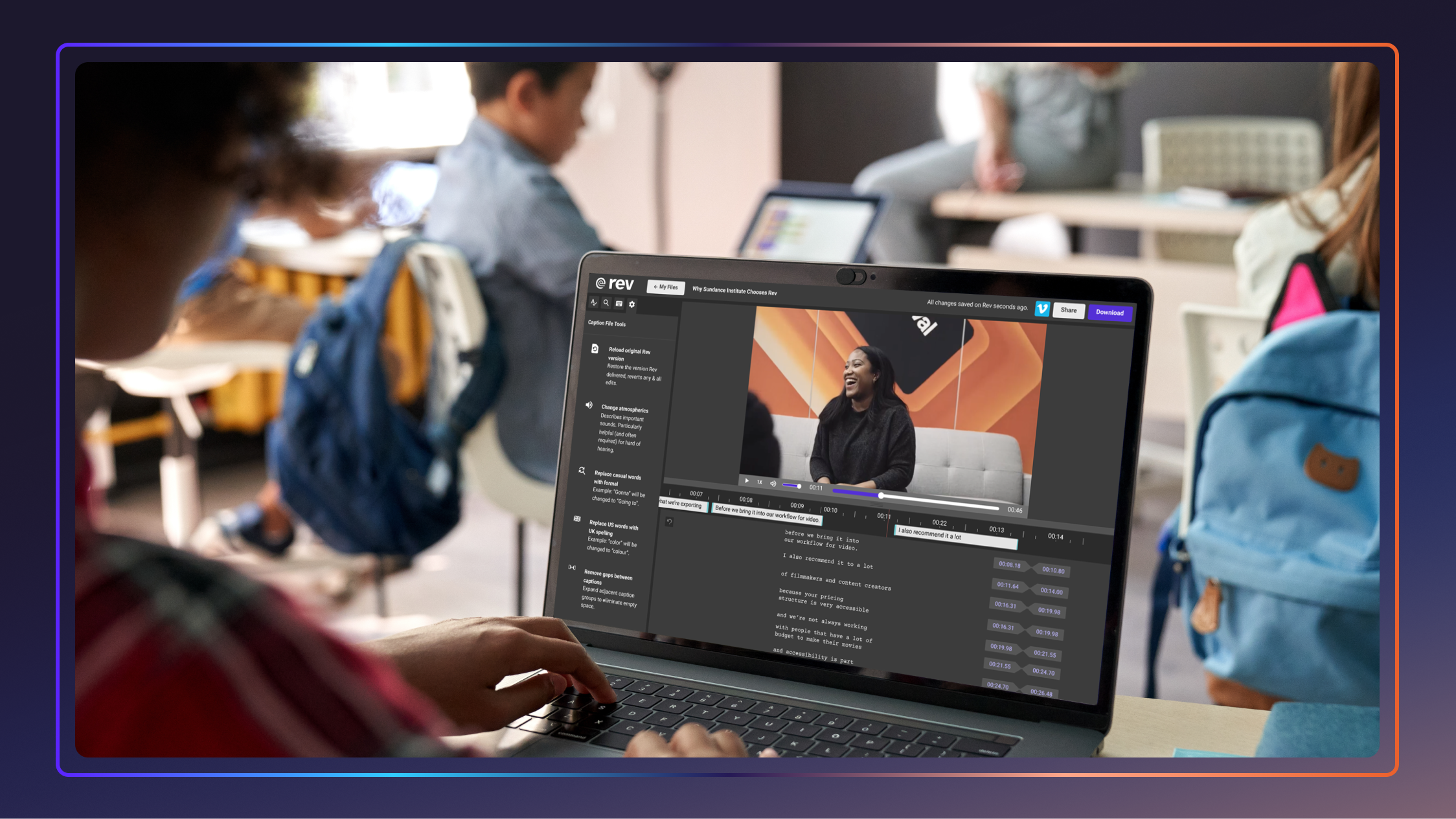
Compliance activities involve things like including captions and subtitles for video content, or adding alternative text (alt text) to describe images for people who use screen readers.
To provide a single shared standard for web content accessibility, the World Wide Web Consortium (W3C) developed Web Content Accessibility Guidelines (WCAG) that outline the technical standards needed to meet and maintain accessibility on public sites.
What Is WCAG 2.1 Level AA?
WCAG 2.1 Level AA are the latest guidelines developed by WCAG that provide federal direction on how public-sector digital content must function. These are the technical standards set by the DOJ’s finalized rule under ADA Title II and must be met by state and local government websites.
While WCAG 2.2 is the most recent version, published in October 2023, WCAG 2.1 Level AA is the minimum required standard. That said, implementing WCAG 2.2 now may be wise. Its additions focus on improving accessibility for users with cognitive disabilities, low vision, and mobile device users. Updating your site to these standards now can save significant rework down the road.
Who The ADA Applies To
ADA website compliance obligations apply broadly across the public sector and increasingly to private organizations.
Organizations subject to ADA requirements include:
- State and local government agencies: Includes departments of health, transportation, and public services.
- K-12 school districts: Includes district websites, portals, and digital learning materials.
- Colleges and universities: Includes course content, enrollment and finance portals, and online resources for students and visitors.
- Public libraries, parks, and utilities: This includes any agency with a web-based, public interface.
- Private businesses: While the DOJ’s Title II rule directly covers public entities, it solidifies WCAG 2.1 AA as the standard for private businesses.

Is ADA Compliance Required For Websites?
Yes, ADA compliance is legally required for websites operated by public entities. This is the first time the DOJ has ever adopted a technical standard for digital content, making WCAG 2.1 Level AA the new minimum requirement for ADA compliance. The compliance deadline is April 24, 2026, for public entities with populations of 50,000 or more, with smaller entities following in April 2027.
Can I Be Sued For My Website Not Being ADA Compliant?
Yes, you can be sued if your website is not ADA-compliant. Organizations can and do face lawsuits for inaccessible websites, and the risk is growing every year. A 2025 ADA Accessibility Lawsuit Report found that 2,000+ ADA website lawsuits were filed in the first half of 2025, a 37% increase from the same period in 2024. Whether you’re taken to court or choose to settle, these lawsuits can be costly, both financially and to your organization’s reputation.
However, the goal of enforcement is not punishment, says Glenna Wright-Gallo, VP of Strategic Research and Policy at Everway:
“The intent is to ensure that everyone can access the information they need to live, learn, and work. When digital content is inaccessible, students and families can be blocked from basic tasks such as enrolling in programs, accessing learning materials, or requesting support.”
ADA Website Compliance Requirements: What Your Site Needs
WCAG 2.1 Level AA is organized around four core principles. Content must be Perceivable, Operable, Understandable, and Robust (POUR). Below is a breakdown of the key requirements your site must meet.
Text Alternatives For Non-Text Content
Every non-text element on your site, like images, buttons, icons, and charts, must have a text alternative that conveys the same meaning. This is essential for users who rely on screen readers, and helps provide equal access to individuals with disabilities. For example, without alt text, a blind user navigating a university’s financial aid page may be unable to complete an application.
Captions and Audio Descriptions for Multimedia
WCAG 2.1 Level AA establishes standards for consistent text alternatives, captioning, proper structure, and navigable interfaces. All pre-recorded video content must include synchronized, accurate closed captioning or subtitles. Audio-only content, like podcasts or recorded meetings, must include transcripts. Read more about closed captioning guidelines on our blog.
This is a particularly important requirement for educational institutions that distribute lecture recordings, webinars, or online course videos. Using a closed captioning and transcription service can help organizations meet this standard accurately and efficiently.
Keyboard Navigation
Every function on your website must be operable using a keyboard alone, without requiring a mouse. This supports users with motor disabilities who navigate with a keyboard, switch controls, or other assistive technology. Common points of failure include dropdown menus, modal windows, and video players that trap keyboard focus.

Sufficient Color Contrast
Text and interactive elements must meet minimum contrast ratios against their backgrounds. This should be 4.5:1 for standard text and 3:1 for large text. This requirement benefits users with low vision or color blindness. Insufficient color contrast is one of the most common accessibility issues, affecting 79.1% of homepages.
Clear Structure And Navigation
Pages must have proper heading hierarchies, descriptive link text, and consistent navigation across the site. Accessible design must include navigable interfaces that allow users to orient themselves and move through content predictably, regardless of how they’re accessing the site. Non-descriptive CTAs, such as “click here,” for example, don’t provide enough context necessary for ADA compliance.
Common Accessibility Issues + Legal Risks
The most common WCAG violations found on websites today include missing image alt text, poor color contrast, inaccessible forms, and the absence of captions on video content. These impact more than just usability, as accessibility oversights can lead to litigation risks. The most common barriers cited in lawsuits include missing ARIA labels, non-descriptive link text, and inaccessible pop-ups.
Despite the rise of so-called “quick fix” accessibility widgets, these aren’t as legally sound as they market themselves to be. The ADA Accessibility Lawsuit report revealed that 456 lawsuits in the first half of 2025, representing 22.6% of total filings, targeted websites that had accessibility widgets or overlays installed.
Responsibility ultimately lies with the organization, no matter which vendors you choose to work with. This became especially clear during a recent FTC settlement where a “quick fix” web accessibility tool was forced to pay back $1 million in refunds to clients. The company had claimed to be a guaranteed ADA-compliance solution for websites, but in reality, it didn’t fully address compliance issues.
“On a large website, pinpointing specific issues can be a real challenge — in our case, we had fewer than ten images missing alt text, but manually scanning hundreds of images to find them wasn't practical,” explains Calandra Gonzales, Principal Web Designer at Rev.
“One tool that has genuinely helped me navigate accessibility and compliance is Claude. With a detailed prompt, Claude can comb through your site's pages and produce a thorough audit — covering the issue, its impact on users, and even code you can implement to fix it. It's a great starting point when assessing accessibility and compliance, though as with any tool, you always have to double-check the findings.”
Get Your Website Accessible In 4 Steps
Website compliance can be easy to address and maintain with the right steps. A structured audit and remediation process lets IT teams and administrators address the highest-risk issues first, then build sustainable practices for the long term.
1. Audit Your Digital Properties
Start with a comprehensive accessibility audit of your websites, mobile apps, and digital documents. Automated scanning tools can help identify issues quickly, but it’s important to conduct a comprehensive human-driven audit through keyboard testing and screen reader validation.
Streamline your audit by prioritizing your most-visited pages first. This includes the homepage, service portals, and application forms. Document your findings with severity levels so you can tackle the biggest issues first.
2. Remediate The Issues
Once you have your audit results, begin fixing accessibility issues at the code level. Address high-impact issues first. This includes missing alt text, caption gaps on video content, keyboard traps, and color contrast failures.
For organizations with large media libraries, this often means transcribing audio content and adding captions to video at scale. Rev’s AI and human-verified captioning services are built for exactly this kind of volume, helping teams close compliance gaps efficiently without sacrificing accuracy.
3. Review Third-Party Vendor Agreements
Don’t overlook the tools and platforms your team relies on. This includes everything from your payment portal and registration system to embedded forms. Institutions are responsible for ensuring that third-party vendors’ public-facing materials also comply. Review vendor contracts and require explicit WCAG 2.1 AA compliance commitments going forward.
To better ensure your tools are accessible from the beginning, Wright-Gallo suggests treating accessibility as a through line across the entire lifecycle of digital tools.
“For too long, many institutions purchased tools without consistently evaluating accessibility, then tried to retrofit solutions or layer on additional tools later,” she says. “A more effective approach is to prioritize products that are designed to be accessible from the start and to embed accessibility checks into procurement and implementation processes.”
4. Train Your Team And Maintain Compliance
Accessibility is an ongoing process. Build it into your content workflows so that every new page, document, video, and feature is accessible from the start. Train content editors, developers, and IT staff on WCAG standards, accessible document creation, and how to caption or transcribe new media. In addition, establish a regular review cadence so nothing slips through the cracks.
This should be done, at least once a year, or whenever a major site update is deployed, to quickly catch new issues before they become legal liabilities.
One tip from Gonzales can also help your site stay compliant long-term: “Check what automated accessibility tools are available for your web platform. These tools can flag issues as they arise, making it easier to stay on top of accessibility and compliance over time.”
WCAG 2.1 AA: Website ADA Compliance Checklist
If you’re not sure where your site stands, use our free WCAG 2.1 AA website compliance checklist to audit your digital properties against the required criteria.
Tech That Makes Accessibility Accessible
Meeting WCAG 2.1 Level AA doesn’t mean your team has to manually audit and fix everything from scratch. The right tools can dramatically reduce the time and effort required to close compliance gaps, and help you stay compliant as your site grows and evolves. From automated scanning platforms to caption and transcription services, today’s accessibility tech stack makes it feasible for IT teams of any size to get the job done.
Here’s a look at the tools that belong in your accessibility workflow:
- Rev: For organizations with video and audio content, Rev’s ADA-compliant captioning and transcription services make it easy to meet WCAG’s multimedia requirements for organizations with large media libraries. Accurate captions are essential for compliance, but they also help improve content discoverability and engagement for all users.
- Axe by Deque: Widely used by web development teams, Axe is an automated accessibility testing engine, available as a browser extension and API. The suite of tools integrates directly into development workflows, making it easy to catch and fix issues before they ship.
- WAVE by WebAIM: A suite of free web accessibility evaluation tools that visually flag errors and alerts directly on the page. Great for content editors and non-developers who need to quickly assess a page’s accessibility without writing code.
- AudioEye: Combines automated remediation with human auditing to identify and resolve accessibility barriers, with ongoing monitoring to flag regressions after site updates.
ADA-Compliant Captioning For Website Owners
The countdown is on for the upcoming compliance deadline. Accurate subtitles and captions are a critical component of ADA website compliance for schools, cities, and government agencies, and Rev takes the guesswork out of multimedia accessibility.
Whether you need AI captions or human-verified transcripts for audio and video content, Rev delivers the accuracy your organization needs to stay compliant, avoid legal exposure, and make your content accessible to every user.