


How To Create a Paperless Legal Practice For Increased Efficiency
Creating a paperless legal practice can transform how efficiently you serve clients and prepare cases. Learn exactly how to do it here.

.webp)
The transition from analog to a paperless legal practice is no longer just a “nice to have”—it's now essential. Between managing discovery materials, client files, and court documents, the average case can generate piles of paperwork that slow down teams and eat into billable hours.
A paperless legal practice is a law office that replaces physical documents and paperwork with digital versions. This makes the content within those documents instantly searchable, secure, shareable, and easier to manage. Imagine walking into your office to see a desk clear of any paperwork!
For legal professionals and paralegals already drowning in documents, organizing files digitally means more time for strategic legal work. Whether you're a solo practitioner or a member of a larger firm, creating a paperless office can transform how efficiently you serve clients and prepare cases.
Let’s explore the steps you need to take to get started below.
1. Audit Your Current Paper Usage and Workflows
Before digitizing anything, you need to understand where paper enters your practice, how it’s used, and how much you have.
Start by tracking what your firm prints, copies, or stores over two weeks. Pay attention to client intake forms, discovery materials, contracts, court filings, meeting notes, and correspondence.
Next, map out your current workflows to identify your team’s pain points. Ask yourself the following questions:
- Where do physical documents create bottlenecks?
- Which files do team members search for repeatedly?
- What paperwork gets duplicated across multiple case files?
- How long on average does it take to review documents for a case?
Your answers should help reveal what to digitize, which processes need redesigning, and what needs prioritizing. Focus first on high-volume, frequently accessed documents that create the biggest efficiency drains when handled on paper.
For example, say your firm prints discovery transcripts because you don’t have a way to review them digitally. In that case, consider implementing specialized legal tech to help analyze and search thousands of transcripts at once (like us).
“Law firms who have previously been slow to adapt to technology now have a particular advantage in digitising in the AI age,” says Michael Stresing, CTO at Remedy Legal.
“Rather than migrating cumbersome legacy digital systems for case management, these firms are free to integrate disparate, individualised solutions to smaller bottlenecks within their service. The most crucial job is generally to identify where the most pressing bottlenecks are, and being critical about what jobs actually need a lawyer involved directly.”
2. Implement a Document Management System (DMS)
The foundation of any paperless law firm is a DMS with the security, organization, and compliance features that legal documents require.
A proper DMS should offer organizational options that mirror how your firm actually works. Look for systems with version control to track changes over time, granular permission settings to protect clients, and audit trails to document access. It should also integrate with your existing legal practice management system and e-filing platforms.
You’ll also need to prioritize security features when choosing what platform to move forward with. Look for SOC 2 Type II certification, end-to-end encryption, and HIPAA compliance standards. There should also be policies against training their AI models with your data to protect attorney-client privilege.
The right DMS transforms your folder structure from a bulky filing cabinet into a searchable, accessible digital archive. Instead of hunting through banker's boxes, you can locate (and analyze) any document in seconds.
3. Digitize Existing Paper Files Strategically
Once you have a document management system in place, it's time to tackle your existing paper archives. But this doesn't mean you have to scan every document you've ever created.
Instead, start by digitizing paper copies from active and frequently referenced cases to get immediate efficiency gains. For closed cases, follow ABA recommendations for recordkeeping, and store the physical copies until the retention period expires.
When scanning documents, use optical character recognition (OCR) technology to make PDFs searchable. This is crucial for legal work—searching within documents for specific terms or phrases can save hours during case prep and discovery review.
Finally, consider partnering with a professional scanning service for large-scale digitization projects. That way, your team can focus on what’s important instead of having to feed documents through a scanner for weeks on end.
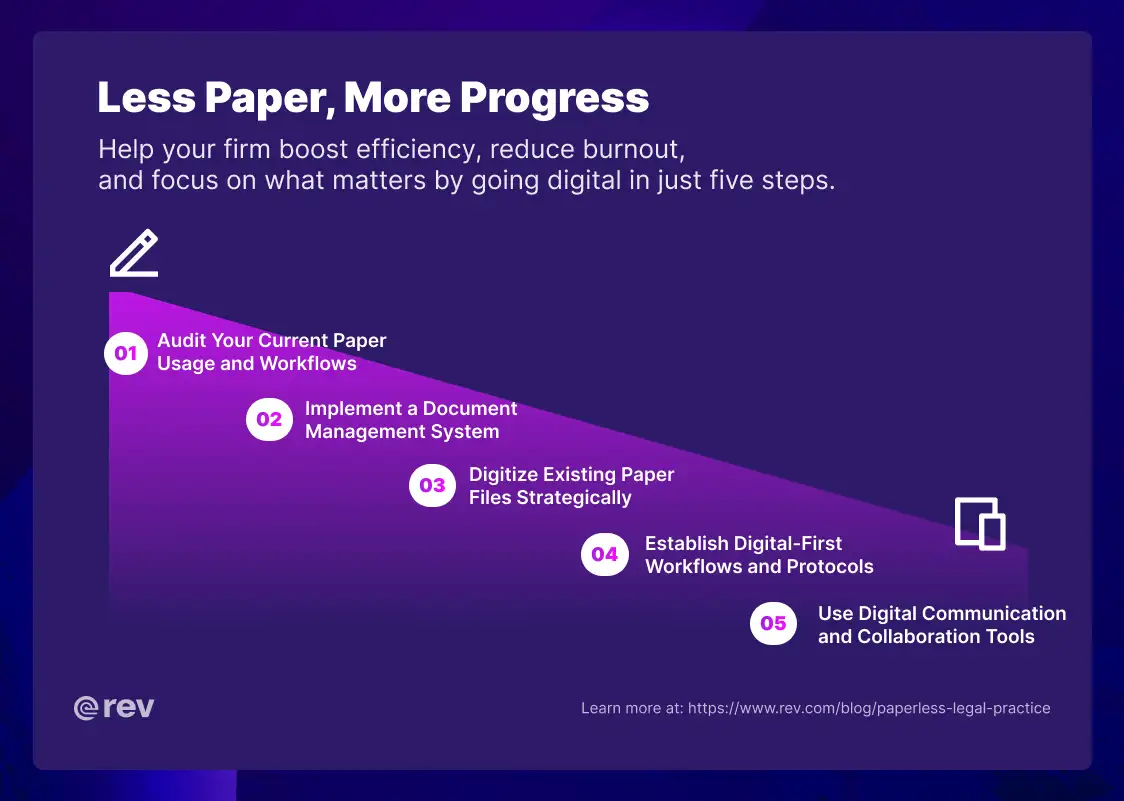
4. Establish Digital-First Workflows and Protocols
Going paperless isn't just about scanning documents—it requires creating new paperless workflows for every stage of a case. Here’s a quick look at how to restructure common phases in a legal workflow:
- Client intake:
- Use electronic forms and e-signature tools to capture client info without ever printing a page. Record and transcribe intake calls to create searchable records, eliminating handwritten notes that can be lost or misinterpreted.
- Discovery:
- When you receive audio recordings, video footage, or witness interviews, upload them to a platform that automatically transcribes and organizes the content. This creates a searchable database where you can find case-changing evidence without manual review.
- Court submissions:
- Most jurisdictions now require or encourage electronic filing, so it’s a good idea to implement this when possible. Not only does it save time, but if you set up automatic backups and clear naming conventions, team members will be able to locate files easily.
Train your entire team on these new workflows and make digital-first behavior the default. Change requires buy-in, so involve staff in the transition process and address concerns about new technology upfront.
5. Use Digital Communication and Collaboration Tools
A paperless filing system extends beyond file storage to how your team communicates and collaborates. Replace paper-based internal memos, meeting notes, and case discussion records with secure digital alternatives.
Use encrypted communication platforms for client correspondence and securely send documents via email with password protection and access controls. Internally, implement tools that create a digital record of case strategy discussions, team meetings, and brainstorming sessions that can be referenced throughout litigation.
Look for tools with granular permission settings for better control over your data. For example, associates only need access to files relevant to their work, while partners and case leads need broader visibility. These settings protect client confidentiality while still enabling efficient teamwork.
Cloud-based collaboration also makes working remotely easier—a necessity for modern legal practices. Team members can access case files from anywhere, without waiting for physical documents to get delivered.
What Are the Pros and Cons of Going Paperless?
Like any major operational change, creating a paperless law office comes with both significant advantages and some challenges you’ll need to navigate.
Pros of going paperless:
- Instant access to information
- Retrieve any document with a simple search, instead of hunting through physical files.
- Reduced physical storage costs
- Eliminate expensive off-site document storage fees and streamline your office.
- Better collaboration
- Multiple team members can collaborate in real time on the same document, even if they’re in different locations.
- Enhanced security
- Properly protected digital files are more secure than paper documents that can be lost, stolen, or damaged.
- Faster case preparation
- Searchable transcripts and documents help you surface critical evidence that could otherwise remain buried in paper files.
- Environmental benefits
- Dramatically reduce paper consumption and your firm's carbon footprint by switching to digital.
- Business continuity
- Digital files can be backed up and recovered even years later, protecting against disasters that would destroy paper records.
Lawyers who have gone paperless echo these benefits in their real-life practice.“Managing a digital-first workplace has changed my life; it fosters adaptability in addition to the obvious environmental benefits,” said Julia Rueschemeyer, Attorney at Amherst Divorce.
“Whether I'm in court, the office, or even just waiting in a coffee shop, I can quickly retrieve client paperwork. Because I'm not charging for hours spent searching through paper files, this accessibility not only saves time but also lowers customer costs.”
Cons of going paperless:
- Upfront investments
- Implementing new systems and digitizing existing files requires initial resources such as time and money.
- Learning curve
- Team members need time to get trained on new tools and workflows, which can temporarily slow productivity.
- Technology dependence
- System outages or technical issues can disrupt access to files (though offline capabilities can help mitigate this).
- Client preferences
- Some clients, particularly older individuals, may prefer paper documents.
- Cybersecurity concerns
- Digital files require robust security measures and ongoing vigilance against threats.
For most law firms, the benefits of going paperless far outweigh the challenges, especially as legal technology has matured to address security and usability concerns. But ultimately, transitioning your law firm is up to you and your unique needs.
Other Ways to Reduce Paper Usage
Beyond the core steps outlined above, there are several additional strategies that can further reduce how much paper your firm uses.
First, consider shifting to digital signatures. E-signature platforms are legally binding in all 50 states and are dramatically faster than printing, signing, scanning, and emailing documents back and forth. Clients appreciate the convenience, and you eliminate delays in getting time-sensitive documents completed.
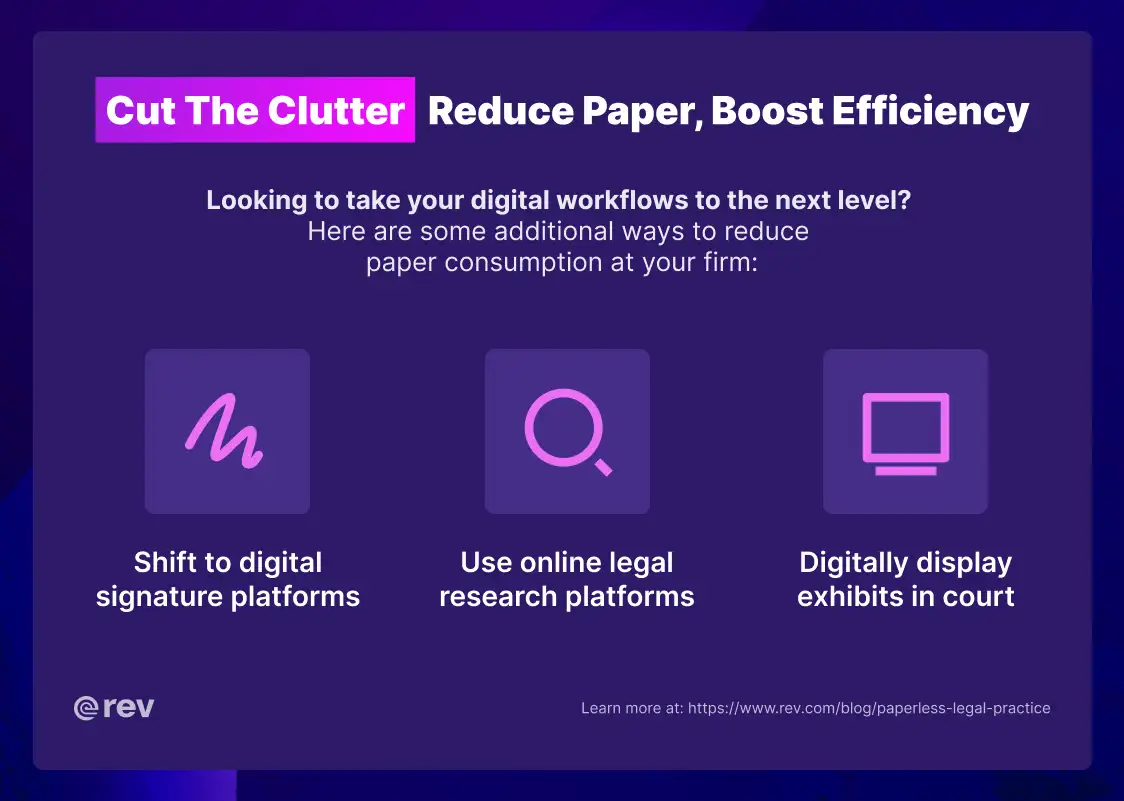
You can also replace printed research with digital databases. Modern legal research platforms offer the same content with better search capabilities and real-time updates. In addition, access to physical law libraries isn’t cheap, saving your firm some serious dollars.
Lastly, consider adopting digital systems in the courtroom. Instead of printing exhibits, witness photos, and demonstrative evidence, display everything on screens. This approach is so popular that even court reporting agencies and transcription services offer digital solutions that integrate seamlessly with these systems.
Paperless Law Office Tools You Need
The right technology stack makes or breaks your transition to a paperless practice. While specific needs vary by practice area and firm size, these tools form the foundation of an efficient digital legal operation. Essential paperless law office tools include:
- Document management systems:
- NetDocuments
- iManage
- Practice management software:
- Clio
- MyCase
- E-signature platform:
- DocuSign
- Adobe Sign
- Legal transcription and evidence analysis:
- Rev
- JusticeText
- Cloud storage with legal compliance:
- Microsoft 365
- Google Workspace
- PDF editor and OCR tool:
- Adobe Acrobat
- Nitro PDF
- Screen sharing and video conferencing:
- Zoom
- Microsoft Teams
The key is choosing tools that integrate to create a cohesive digital ecosystem rather than isolated solutions that can create bigger issues later on.
Transform Your Practice With a Digital-First Approach
Creating a paperless legal practice isn't just about eliminating paper—it's about building a more efficient, secure, and competitive law practice.
Firms that embrace digital transformation see gains in case prep speed, evidence analysis, and even operational efficiency. Whether you're handling criminal defense cases with mountains of jail call recordings or managing complex civil litigation, a paperless approach helps you find evidence faster and build stronger arguments.
Start your transition today and experience how digital workflows transform your legal practice.